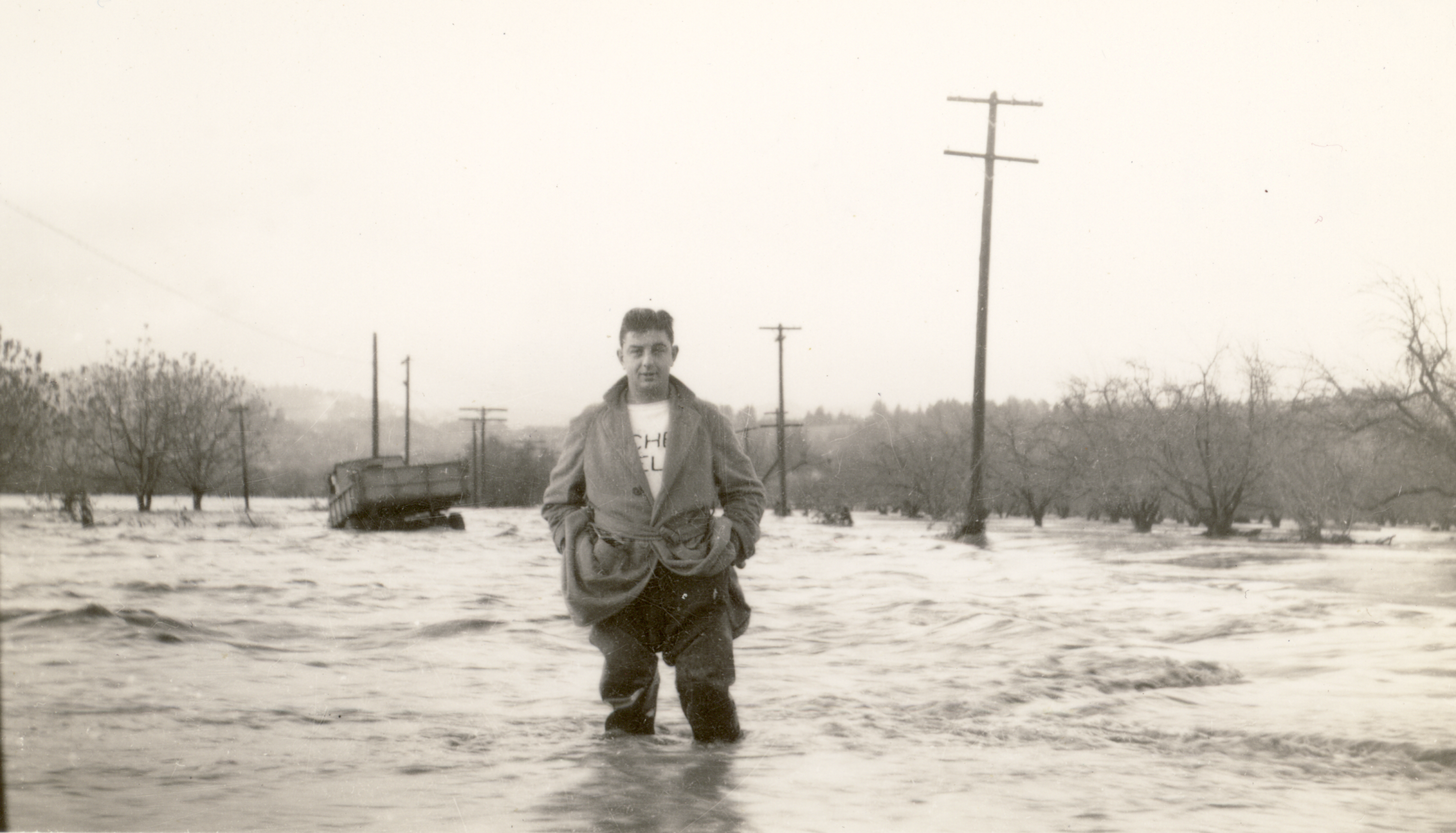
Cover Photo: Geno Buffi, my grandfather, standing in a flooded orchard on the Russian River. December 11, 1937
There we were, digging through box after box of photos—carefully pulling prints from old albums, trying not to damage the ones that have chemically bonded to the plastic sleeves. My wife and I have made this a Thanksgiving ritual, sorting through the archives of my lineage. I’m still amazed every time I find photos of my parents as young children, spotting characteristics that now live on in my brothers and even the next generation. Put a photo of my mother and my niece side by side at age four and you’d be forgiven for thinking they were sisters. Having a record to pass down is something we should honor as we age. But how do we do this responsibly?
Digital photo archives. We all have them—but do we truly respect the power of the technology that’s supposed to make things easier? If someone picked up your phone today and tried to understand your life through photos, how long would it take them to get through one year? Just a guess, but most people have a handful of duplicates for every moment, taken with the intention of choosing the best later. Multiply that habit over years and your digital archives become nearly worthless. If you can’t stand sorting through them, why would anyone else want to scroll through 15 versions of the same selfie? Film once restricted us. Now we have to restrict ourselves.
Before I explain how to declutter your digital archives, I need to confess something. This process is easier for me, but only because of what I call “the great hard drive crash of 2014.” Losing every track I’d produced, every mix, every photo—it was brutal. With limited resources, it never even crossed my mind that data recovery was possible. I accepted the loss and moved on, and strangely, that acceptance felt liberating. As a creative, I decided I would operate differently moving forward.
Redundancy became standard. For years, I backed everything up to at least two drives. Today, I store active files on my laptop or phone and keep essential archives in the cloud. I use iCloud because it’s seamless, but you should choose whatever works best for your workflow. When I delete a file on one device, the action mirrors everywhere. Simple, consistent, and reliable.
Below are the steps I follow—and recommend—when curating your digital memories.
Step 1: Build a redundancy system.
As mentioned, mine is iCloud. Yours may be Google Photos, Dropbox, or a physical drive. Just make sure it exists.
Step 2: Delete duplicates.
Most of us snap 10–15 versions of the same shot with the intention of picking “the best” and deleting the rest. The intention dies quickly. Dedicate small pockets of time frequently to chip away at this. You’ll laugh at forgotten moments, feel things you didn’t expect, and delete plenty of irrelevant reference photos along the way. By the end, your collection starts to look more like a roll of film—each shot different, each shot intentional.
Step 3: Delete the B-roll.
I call the unnecessary shots B-roll. Photos taken “just in case,” or ones that looked incredible in person but fall flat when captured. When I backpack, I have tons of these. In this stage, think like a magazine editor: choose the most impactful image that tells the story, and let the rest go. Separate yourself from the emotional attachment and view your photos like a stranger would. If you’re hesitant, do this slowly. Coming back with a little distance helps you see more clearly.
Step 4: Shift your approach.
Once you’ve experienced the editing process, you naturally become more intentional with how you shoot. You start asking: What single image captures the feel of this moment? Instead of machine-gunning your shutter, you take fewer photos—saving time and giving yourself more space to actually live the moment.
Step 5: Edit after events.
The best way to stay ahead is to edit right after an event or trip. Don’t let thousands pile up again. A quick pass while the experience is still fresh keeps your archives lean, meaningful, and manageable.
We have almost unlimited capacity to store our photos, but without careful curation, that capacity becomes more of a burden than a blessing. If we want our digital archives to carry impact—for ourselves and for whoever comes after us—we need to sift, select, and let go. Yes, it can feel like a chore. But it’s also a moment to honor the memories we’ve captured, preparing them to live on without getting buried in excess. Just like flipping through an old photo album, the magic comes from turning the page and finding something new—not reliving the same moment over and over.